
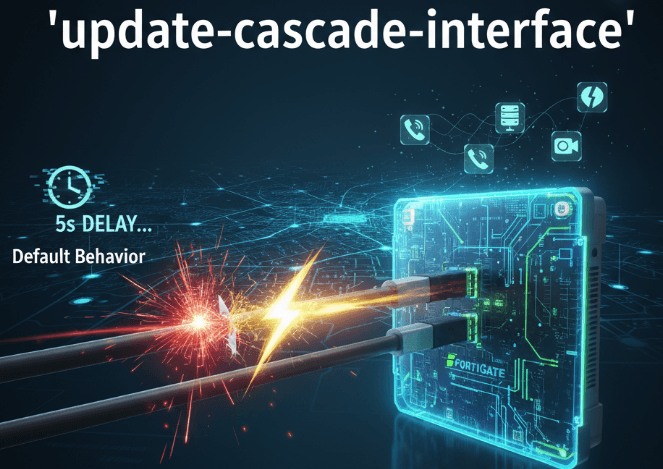
What is update-cascade-interface?
In simple terms, update-cascade-interface is a command that directly links an SD-WAN member’s route status to the physical link state of its parent interface. This setting ensures that your network reacts immediately to a physical cable disconnect or hardware failure, preventing traffic black-holing and providing near-instantaneous failover.
Default Behavior vs. Enabled Behavior
Understanding the difference is crucial for network reliability. The default behavior can lead to noticeable outages, while the enabled behavior provides a robust solution for physical link failures.
Default Behavior(update-cascade-interface disable)
By default, the FortiGate’s SD-WAN logic determines if a member is “up” or “down” based only on its Performance SLA / Health Check (e.g., pinging 8.8.8.8). It ignores the physical state of the underlying interface (port1, port2).
This means if a cable is unplugged from port1, the SD-WAN will continue to route traffic down that dead link until the health check fails due to timeouts. This can cause a delay of several seconds, leading to lost packets and a noticeable outage.
Enabled Behavior (update-cascade-interface enable)
Enabling this setting creates a direct dependency on the physical interface. If the physical link goes down, FortiOS immediately withdraws the static route associated with that SD-WAN member from the routing table, before the health check even has a chance to fail. This results in a near-instantaneous failover to another SD-WAN member.
The health check still remains important for “brownout” conditions, such as high latency or packet loss on a physically connected link. However, this feature is specifically designed to handle the “blackout” condition, where the link is physically down.
The Core Problem It Solves
This command solves the problem of failover delay caused by physical link failures. It closes the critical window between the physical link going down and the SD-WAN health monitor detecting the failure, ensuring a seamless user experience for applications like VoIP, video conferencing, and remote desktops.
When to Use Update Cascade interface ?
This feature is a best practice for the vast majority of standard SD-WAN deployments. You should enable it whenever the FortiGate’s WAN port is directly connected to a single upstream device.
- Direct ISP Connection: If your
wan1port is plugged directly into an ISP modem or ONT, enabling this feature ensures the FortiGate instantly knows if the connection is dead due to power loss or a disconnected cable. - Critical Applications: For applications that cannot tolerate even a brief outage, such as real-time voice and video, this setting minimizes the failover time to a mere 1-2 second blip that many applications can recover from.
- Simple Physical Interfaces: This setting is perfectly designed for common setups where SD-WAN members are primary physical ports like
port1andport2.
When to be Cautious (or NOT use it)
In more complex network scenarios, relying solely on the Performance SLA might be more predictable.
- Complex Upstream Networks: For example, if your “WAN” connection is a VLAN interface on a Link Aggregation Group (LAG) trunk. The LAG interface may not go down if only one physical link fails, making the physical link state less reliable for a failover trigger.
How to Configure update-cascade-interface in CLI
This setting is only available via the Command Line Interface (CLI). You must apply it to each individual SD-WAN member that you want this behavior to apply to.
config system global
set update-cascade-interface {enable|disable}
end
Enter the SD-WAN configuration context
config system sdwanEnter the members section
config members
# Select the member you want to modify (e.g., the one for port1)
edit 1
# Enable the cascade interface update
set update-cascade-interface enable
next
# Select the next member (e.g., the one for port2)
edit 2
# Enable it here as well
set update-cascade-interface enable
next
end
end
To verify the configuration, use the following command and look for set update-cascade-interface enable under each member entry:
show system sdwan membersLook for set update-cascade-interface under each member entry. If it’s not listed, it means it’s disabled (the default).