
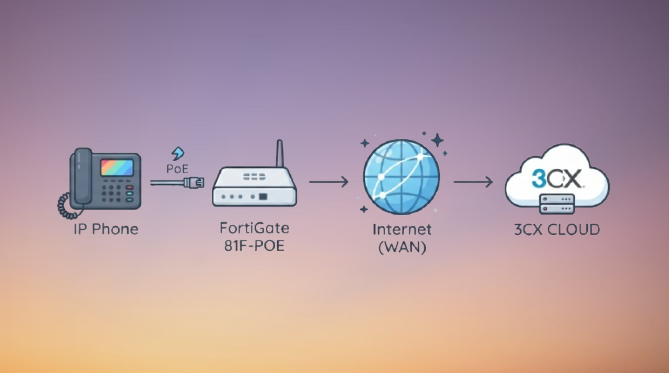
Grandstream Ip-Phone not registering to a cloud 3CX is a frequent issue when you deploy a voice VLAN behind a FortiGate and configure the phones to reach a 3CX cloud PBX. The phone has an IP address and the policy allows the required SIP port, yet the account remains on “Not Registered” state.Below i describe the tests in ascending order of the time required.
The setup/scenario: A FortiGate 81F-POE running on FortiOS 7.6.x, a dedicated VOICE VLAN (VLAN 50), Grandstream IP phones and a 3CX cloud PBX.
So briefly, there are four aspects to check in first place: DNS and NTP from VLAN 50, outbound TCP 5001 or 443 for provisioning, the used SIP transport of your SIP PBX and the FortiGate SIP ALG.
Contents
- How a Grandstream phone connects to a 3CX cloud PBX
- What causes the problem of a Grandstream not registering 3CX behind a FortiGate
- Step 1: Check the Forward Traffic log
- Step 2: Create the VLAN 50 voice policy
- Step 3: Turn Off/Disable SIP ALG on the FortiGate
- Step 4: Capture or Sniff the traffic
- Step 5: Inspect the Grandstream phone
- FAQ
How a Grandstream phone connect to a 3CX cloud PBX
3CX documents two ways to connect phones on a remote network to a PBX, and the method you chose decides which ports matter.
- 3CX SBC (Session Border Controller): a small 3CX service runs on your network. The phones talk to the SBC locally, and the SBC tunnels everything to the PBX over port 5090. The phone is provisioned with Plug and Play.
- Direct SIP with STUN: the phone talks to the PBX directly through your NAT. Grandstream phones are provisioned through the RPS server. This method needs more careful NAT and port handling on the firewall.
If you already run an SBC, do not mix in STUN. These are the ports 3CX lists; confirm them against the 3CX firewall and router configuration guide for your version:
| Port | Protocol | Used for |
|---|---|---|
| 5060 | UDP and TCP | SIP signalling |
| 5061 | TCP | SIP over TLS |
| 5090 | TCP and UDP | 3CX tunnel (SBC and apps) |
| 443 or 5001 | TCP | Provisioning and presence |
| 9000-10999 | UDP | RTP audio |
The phones need DNS (53) and NTP (123) from the voice VLAN, because the PBX is reached by hostname.
What causes the problem of a Grandstream IP Phone not registering to a 3CX behind a FortiGate
When the policy already allows the port, the fault is usually in something around it.
| Symptom | Likely cause |
|---|---|
| Phone never leaves “Not Registered”, no SIP in the sniffer | DNS or NTP blocked, or provisioning (TCP 5001/443) blocked |
| REGISTER leaves, nothing comes back | Wrong transport (UDP vs TCP vs TLS), policy order, or SIP ALG interfering |
| Reply 401, 403 or 404 | The network is fine. Check the extension credentials and provisioning data |
| Registers, then drops after a minute | SIP ALG or NAT session timeout |
| Registers but one-way audio | RTP range blocked or NAT issue (not a registration fault) |
Step 1: Read the Forward Traffic log
Go to Log and Report > Check for the Forward Traffic and filter by the phone’s IP address in VLAN 50. If Grandstream Ip Phone is not registering 3CX, this log shows within minutes which connections are accepted and which are denied.
- Look for denied DNS (UDP 53) and NTP (UDP 123).
- Look for denied TCP 5001 or 443 towards the 3CX provisioning address. 3CX community advice for SBC sites is that outgoing TCP 5001 must not be blocked.
- Check that the matching policy has NAT enabled and the correct outgoing interface.
Step 2: Configure the VLAN 50 voice policy
Create custom services once, then use them in a dedicated policy for the voice VLAN. Place this policy above any general LAN policy, and do not apply web filter or IPS profiles to it while you test.
config firewall service custom
    edit "3CX-SIP"
        set tcp-portrange 5060-5061
        set udp-portrange 5060
    next
    edit "3CX-TUNNEL"
        set tcp-portrange 5090
        set udp-portrange 5090
    next
    edit "3CX-PROVISIONING"
        set tcp-portrange 443 5001
    next
    edit "3CX-RTP"
        set udp-portrange 9000-10999
    next
end
In the policy:
- Incoming interface: VLAN 50 (VOICE). Outgoing interface: your WAN.
- Destination: an FQDN address object for your 3CX hostname. To prove the setup first, you can temporarily use
all, then tighten it. - Services: DNS, NTP, the four 3CX services above (add HTTPS if your phones use it for firmware).
- NAT: enabled. Security profiles: none while testing.
Also confirm the DHCP scope on VLAN 50 hands out a working DNS server and that the pool is not exhausted.
Step 3: Disable SIP ALG on the FortiGate
SIP ALG is enabled by default on FortiGate, so it is active even if you never configured it. It rewrites SIP packets, which often causes trouble with a cloud PBX. 3CX’s own guidance is to use a router or firewall without SIP ALG, or one where it can be disabled.
These commands use FortiOS 7.6 syntax. If you run FortiOS 8.0, check the release notes for any change.
config system settings
    set sip-expectation disable
    set sip-nat-trace disable
    set default-voip-alg-mode kernel-helper-based
end

config voip profile
    edit "default"
        config sip
            set status disable
        end
    next
end
Then remove any VoIP profile from the VLAN 50 policy and, if needed, delete the SIP session helper. Run show system session-helper first, find the entry named sip and delete that entry only. Test after each change so you know which one fixed it.
The Fortinet Community has a longer explanation in the SIP ALG technical tip.
Step 4: Sniff the traffic
If the log looks fine, capture on the FortiGate. Replace the placeholder with the phone’s IP:
diagnose sniffer packet any 'host <phone-ip> and (port 5060 or port 5061 or port 53 or port 5001)' 4 0 lReboot the phone and check the result:
- No SIP, only DNS or nothing: DNS or NTP is failing, or the phone has not been provisioned.
- REGISTER out, no reply: path or policy problem. Check the policy order and the SIP transport.
- Reply 401, 403 or 404: the network works. Fix the extension credentials.
Step 5: Check the Grandstream phone
- Provisioning method: use Plug and Play for a phone on the LAN or behind the SBC. Use RPS for a remote phone that connects directly with STUN. If you changed method, factory reset the phone first, as 3CX recommends before provisioning.
- Account status: open the phone’s web interface and read the account status. A 4xx code means the server answered.
- SIP server and transport: they must match your 3CX hostname and transport. A UDP phone against a TLS-only setup will not register.
- Date and time: a wrong clock can break TLS and provisioning.
- Firmware: check Grandstream’s firmware page for your exact model. Older hardware revisions have a lower firmware ceiling, so read the hardware version on the label before upgrading.
- PBX side: if you repeated failed attempts, check that the 3CX firewall or blacklist has not blocked your public IP.
Quick checklist
- VLAN 50 can resolve DNS and reach NTP.
- Outbound TCP 5001 or 443 is allowed for provisioning.
- The SIP transport on the phone matches the policy (5060 or 5061).
- The voice policy has NAT on and no UTM profile while testing.
- SIP ALG and the SIP session helper are disabled.
- The phone is provisioned with the right method (SBC or STUN).
If you have not built the voice VLAN yet, see my guide on setting up VLANs with FortiLink and FortiSwitch.
What causes a Grandstream not registering 3CX behind a FortiGate?
The common causes are blocked DNS or NTP, blocked provisioning (TCP 5001 or 443), a transport mismatch (UDP, TCP or TLS), and the FortiGate SIP ALG rewriting SIP packets. Check and verify the Forward Traffic log first, then sniff the phone’s traffic.
Do I need to disable SIP ALG on a FortiGate for 3CX?
In most cases yes. 3CX advises using a firewall without SIP ALG.FortiGate has it enabled by default, so check it and verify your fortigate SIP ALG setting.
Which ports must be open from the voice VLAN to a 3CX cloud PBX?
Typically DNS (53), NTP (123), TCP 443 or 5001 for provisioning, UDP and TCP 5060 or TCP 5061 for SIP, TCP and UDP 5090 if you use the SBC tunnel, and UDP 9000-10999 for audio. Confirm the list in the 3CX guide.
Should i use the 3CX SBC or STUN for Grandstream phones?
3CX supports both. With an SBC the site generally needs no inbound port forwarding, only outbound access. STUN needs more NAT and port handling, so many installers choose the SBC when a site has several phones.
Do i need port forwarding on the FortiGate for a cloud 3CX?
Not for the PBX itself, since it is hosted in the cloud. With the SBC method, outbound access is usually enough. With STUN, check the NAT behaviour and the RTP port range carefully.
Conclusion
Once the phone registered, place an inbound and an outbound call. Registration only proves that signalling works. Audio uses the separate RTP range (UDP 9000-10999 on the 3CX side), so a call can still fail with one-way or no audio.