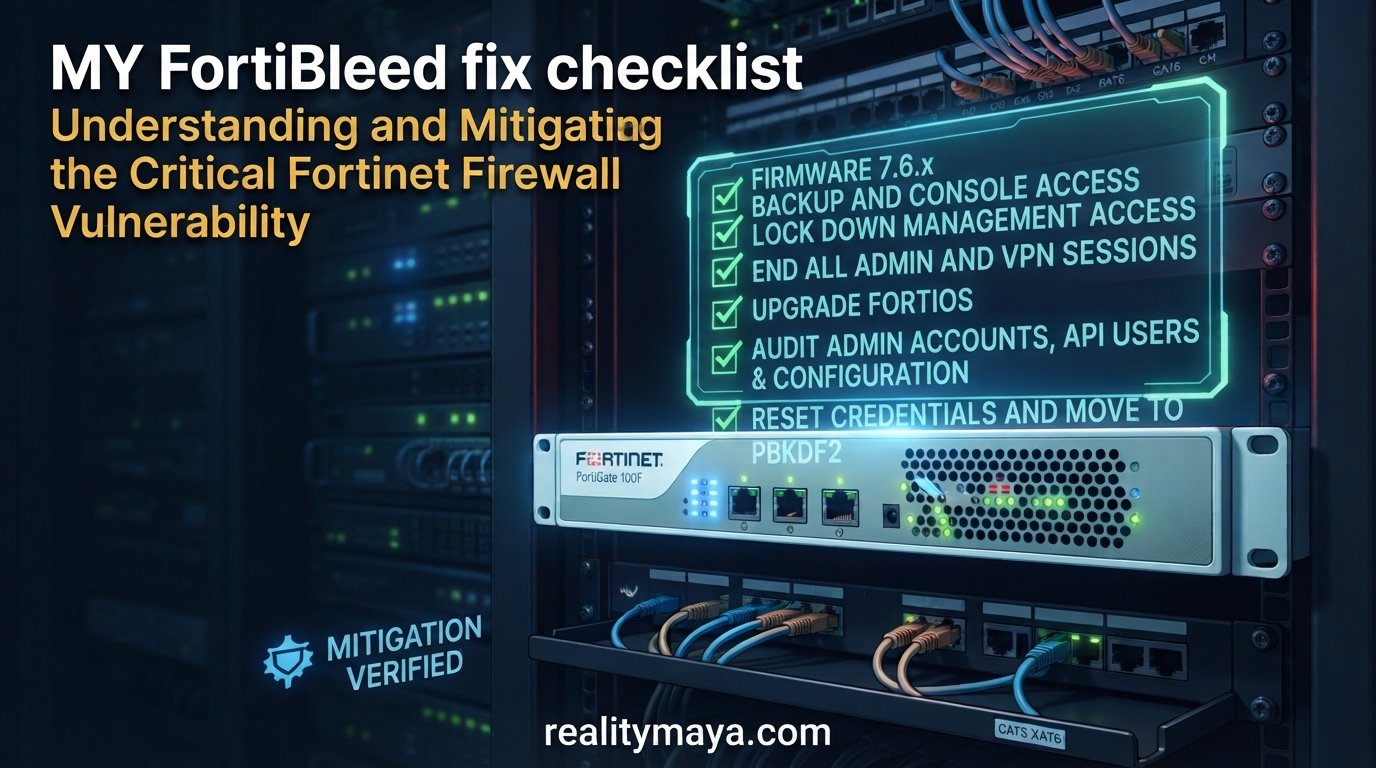
This FortiBleed fix checklist covers what to change on a FortiGate running FortiOS 7.6: lock down management access, end every session, upgrade, audit accounts, reset credentials, move stored admin passwords to PBKDF2, and add MFA. The FortiBleed explainer covers how the campaign worked. This post is the hands-on part.
FortiBleed has no CVE and no patch, so a firmware upgrade alone does not close it. The FBI and US Secret Service list three key actions: restrict external management, terminate all admin and VPN sessions and reset credentials, and require phishing-resistant MFA. The steps below follow that list and add the password hashing fix.
Last reviewed: 20 November 2026. Menu names and commands follow FortiOS 7.6, so check them against your exact build.
Before you start: backup and console access
Several steps here can lock you out of your own firewall. The FBI and Secret Service advisory notes that victims have already been locked out when attackers changed passwords or deleted the original admin accounts. Do the work in a maintenance window, and keep these ready:
- Serial console access to the FortiGate. Fortinet recommends having local or console access before you configure local-in policies.
- A fresh configuration backup, stored somewhere access-controlled. The file holds VPN users, pre-shared keys and certificates.
- A second browser or SSH session already logged in, so you can undo a change that cuts you off.
Step 1: Lock down management access
Do this first so that nobody can log back in from the internet while you work. The advisory ranks three options: trusted hosts are good, a local-in policy is better, and removing internet administration altogether is best.
The best option is to remove admin services from the WAN interface. Replace wan1 with your interface name:
config system interface
    edit "wan1"
        unselect allowaccess https ssh http telnet
    next
end
If you need admin access from a fixed outside address, add a local-in policy that accepts that address and denies the rest. Local-in policies set in the CLI do not show in the GUI, and there is no implicit deny rule, so you need both policies. The address below is a documentation example, so replace it:
config firewall address
    edit "ADMIN-HOST"
        set subnet 203.0.113.10 255.255.255.255
    next
end
config firewall local-in-policy
    edit 1
        set intf "wan1"
        set srcaddr "ADMIN-HOST"
        set dstaddr "all"
        set action accept
        set service "HTTPS" "SSH"
        set schedule "always"
    next
    edit 2
        set intf "wan1"
        set srcaddr "all"
        set dstaddr "all"
        set action deny
        set service "HTTPS" "SSH" "HTTP" "TELNET"
        set schedule "always"
    next
end
Local-in policies also apply to VPN traffic. If a VPN portal listens on the same WAN port as the admin interface, a deny rule for HTTPS blocks the portal too. Test from an allowed address and from a blocked one before you log out.
Trusted hosts add a second layer on each admin account. Replace the subnet with your management network:
config system admin
    edit "your-admin-name"
        set trusthost1 192.168.1.0 255.255.255.0
    next
end
Step 2: End all admin and VPN sessions
List the logged-in admins, then disconnect any you do not recognise by their index number:
get system admin list
execute disconnect-admin-session <index>
On models that still have SSL VPN or Agentless VPN, list and clear those sessions too:
execute vpn sslvpn list
execute vpn sslvpn del-all
For IPsec dial-up users, check the VPN monitor page in the GUI and disconnect their tunnels there.
Step 3: Upgrade FortiOS
Sophos advises upgrading to the latest supported FortiOS release by Fortinet’s recommended upgrade path. On the 7.6 branch, 7.6.6 or later also covers the FortiCloud SSO bug described in the FortiGate admin login bypass checklist. Check your version first:
get system statusPBKDF2 password hashing arrived in FortiOS 7.2.11, 7.4.8 and 7.6.1, so any 7.6 build from 7.6.1 onward has it. Upgrading makes it available. It does not convert existing accounts, which is what steps 5 and 6 are for.
Step 4: Audit admin accounts, API users and configuration
The advisory says attackers created new administrator accounts for persistence and sometimes deleted the originals. Open System > Administrators, or run:
show system adminLook for any account you did not create. The FBI and Secret Service published account names seen on compromised devices:
adminin, admin, fortiAdmin, forticloud-sync, forticloud-tech, fgtsecure, pakedge, gttadmin, districtadmin, system_config, roadmin, itadmin, Technical_support, adminsslvpn, support_fortinet, IT_Manager, my_admin, fgtsec, forti_support2.
Some of these, such as admin, are legitimate defaults on many devices. What matters is whether you created the account. Then check REST API users, because API keys can be used for backups and configuration changes:
show system api-userYou can also review them under System > Administrators in the GUI. Remove any key you cannot explain and regenerate the ones you keep. Finally, compare the running configuration with your last known-good backup in any text diff tool and look at every difference you did not make.
Step 5: Reset credentials and move to PBKDF2
Reset every administrator password, every local VPN user password, every API key, and any service credential stored on the firewall. Sophos lists local admin, VPN, API and service-account credentials. Do it from a machine you trust, and use long unique passwords that have never appeared in another system.
Doing this after the upgrade also fixes the hashing problem for the accounts you touch. A stored password that starts with SH2 is SHA-256, and one that starts with PB2 is PBKDF2. Check each account:
show system adminFortinet community articles say an admin keeps a SHA-256 hash until that admin logs in again or changes the password. For a non-default admin, set a new password from the CLI. It asks for your current admin password first:
config system admin
    edit "your-admin-name"
        set password <new-password>
    next
end
A hidden old-password setting keeps the previous SHA-256 hash after the update, for backward compatibility. To purge it, enable this option on FortiOS 7.6:
config system password-policy
    set login-lockout-upon-weaker-encryption enable
end
On FortiOS 7.2 and 7.4 the equivalent setting is named login-lockout-upon-downgrade. The CLI shows a warning and asks you to confirm. After you enable it, moving the firewall back to a firmware version that does not support PBKDF2 locks administrators out, so stay on a supported release.
Step 6: Turn on MFA for admins and VPN users
Every FortiGate includes two free FortiToken Mobile tokens per unit or cluster. In the GUI, edit the administrator under System > Administrators and enable two-factor authentication. In the CLI:
config system admin
    edit "your-admin-name"
        set two-factor fortitoken
        set fortitoken <token-serial-number>
        set email-to "one@realitymaya.com"
    next
end
The activation code expires after three days by default. FortiToken Cloud is the alternative if you want cloud-managed tokens. Open a second session and confirm that the token login works before you close the first one.
The FBI and Secret Service recommend phishing-resistant MFA on all remote access and admin accounts. A one-time code app is a solid baseline. Check what your authentication setup supports if you want to go further.
MFA protects the login prompt. It does not protect a stolen configuration file, because the attackers cracked hashes offline. That is why steps 3 to 5 matter as much as this one.
Step 7: Review the logs
Open Log & Report > System Events and look for configuration downloads, admin logins, and new admin accounts from addresses you do not recognise. Sophos’s earliest confirmed case dates from 2 June 2026, so check back at least that far. Sophos detections flag a configuration file exported to an external IP address.
The FBI and Secret Service advisory includes a table of IP addresses seen in the campaign. Read the advisory before you block anything. The agencies say the addresses are historical, may have been reassigned, and should be checked against your own telemetry first. They also recommend reviewing VPN, authentication and domain controller logs for lateral movement. If your firewall keeps logs only locally, send them to a syslog server or FortiAnalyzer so evidence is not overwritten.
Step 8: Check which VPN you actually expose
From FortiOS 7.6.3, SSL VPN tunnel mode is removed on all models and replaced by IPsec VPN. Web mode is renamed Agentless VPN, which is disabled by default and not available on every model. If you upgraded from an older version, check what remote access you really have. For IPsec dial-up, require MFA on the users and restrict who can reach the VPN with a local-in policy where your setup allows it.
If you find signs of compromise
The advisory’s incident response steps are to isolate the affected devices, hunt through logs to scope the intrusion, report it, and then evict the attacker. In practice, restore a known-good configuration instead of cleaning up a suspect one, and rotate every credential the firewall held, including accounts used for LDAP or RADIUS binds.
PDPA note for Malaysian organisations
VPN usernames and configuration data on a firewall can identify people. Since 1 June 2025, Malaysia’s PDPA has required data controllers to notify the Personal Data Protection Commissioner as soon as practicable once they have reason to believe a personal data breach has occurred. Ask your data protection officer or legal adviser whether an incident meets that bar. This post is not legal advice.
FAQ
What is the first thing to do about FortiBleed?
Restrict external management of the firewall, end all admin and VPN sessions, reset credentials, and turn on MFA. Those are the key actions in the FBI and US Secret Service advisory.
How do I check whether my FortiGate stores SHA-256 or PBKDF2 hashes?
Run show system admin and read the stored password for each account. A value starting with SH2 is SHA-256, and one starting with PB2 is PBKDF2.
Will login-lockout-upon-weaker-encryption lock me out?
Only if you later move to a firmware version that does not support PBKDF2. The CLI warns you and asks for confirmation when you enable it.
Does SSL VPN still exist on FortiOS 7.6?
Tunnel mode was removed in 7.6.3 on all models and replaced by IPsec VPN. Web mode is now called Agentless VPN, is disabled by default, and is missing on some models.
Is MFA enough to protect against FortiBleed?
No. MFA protects logins, but attackers cracked password hashes from stolen configuration data offline. Restrict management access, move to PBKDF2, and rotate credentials as well.
Conclusion
The order that works is: restrict management access, end sessions, upgrade, audit accounts and API keys, reset credentials and enforce PBKDF2, then add MFA and review logs. When you finish, verify four things: the admin interface is unreachable from an outside address, every admin password starts with PB2, MFA is on for admins and VPN users, and the session list shows only people you know.
Sources
- FBI and US Secret Service joint advisory JCSA-20261006-01 (6 October 2026)
- Fortinet PSIRT blog: Analysis of Reported Credential Compromise of FortiGate Devices
- Fortinet Community: Enforcing PBKDF2 as hash function for administrator accounts
- Fortinet Community: Filter ingress traffic going to the FortiGate using local-in-policy
- Fortinet Community: List and disconnect administrators logged in to a FortiGate
- Fortinet Community: Two-factor authentication for FortiGate administrators using FortiToken
- Fortinet Community: Changes on SSL VPN modes starting from v7.6.3
- Sophos advisory: FortiBleed credential exposure
- Future of Privacy Forum: Malaysia’s data protection and AI ethics frameworks